
PermitLens
Every permit. One place.
Platform

A permit dashboard should help you run the work, not admire the data.

The dashboard should show what changed, what is stuck, and what needs a decision next.

01

Canonical lifecycle stages shared across municipalities

02

Next actions visible by permit and owner

03

Connector trust indicators embedded in the same view

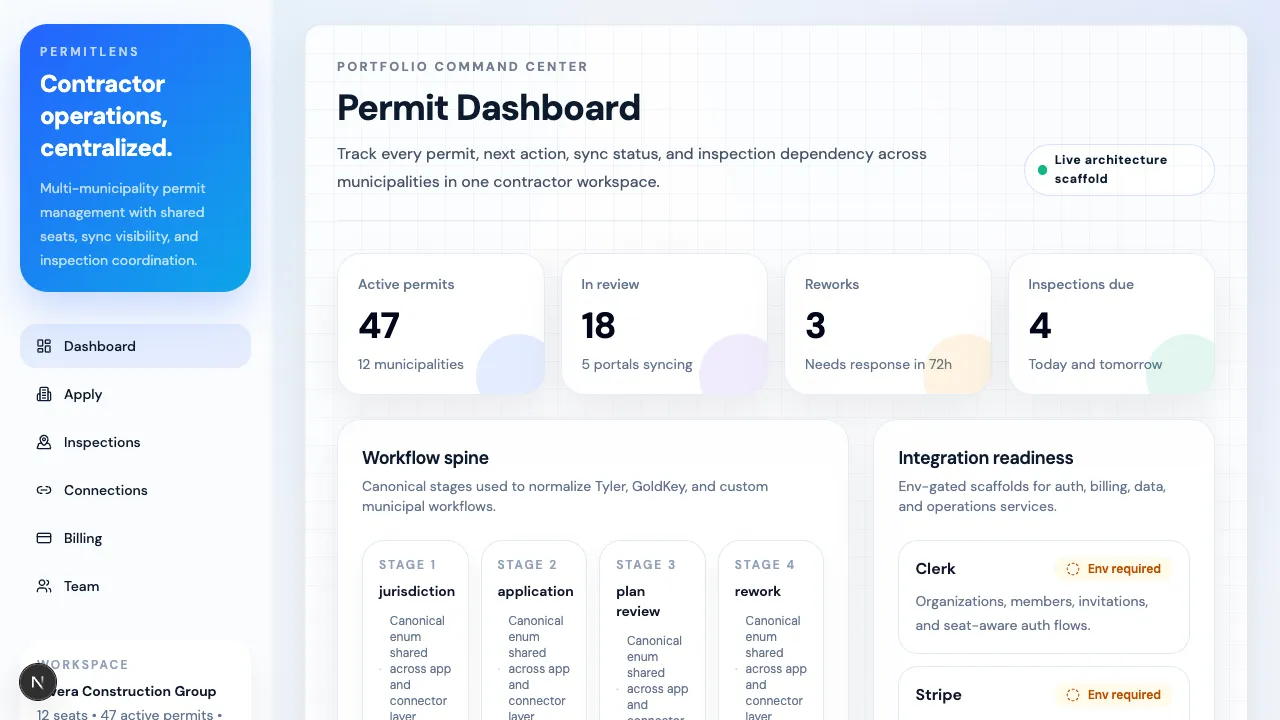
Unified Permit Dashboard screen from the PermitLens application.
What this surface needs to answer

The page is only useful if it changes the next decision.

When this page works, people stop asking for status screenshots and start making decisions.

BD-2025-00038
1200 Lincoln Rd

Upload MEP set to Civic Access

BLD-2026-1042
234 SW 8th St

Submit structural rework package

BD-2024-09933
7800 W 4th Ave

Prepare site for framing inspection

Platform

Unified Permit Dashboard

PermitLens is built around a contractor-facing operating dashboard, not a passive reporting surface.

What it centralizes

  • Active permits across multiple municipalities
  • Canonical lifecycle stages even when portals use different language
  • Next actions for project managers and coordinators
  • Expiration pressure and rework queues
  • Connector health so teams can see whether municipal data is current

Why that matters

Contractors do not need another disconnected login.

They need one place to understand what moved, what stalled, and what requires action today.

Keep going

One feature page should lead to a product conversation.

If this is the surface your team cares about most, the next step is either a clickthrough demo or a rollout call.